The Best USB Type-C Docking Station Under $50: 8-Port 100W Charging Hub Review
The 8-port 100W USB-C charging station is our pick for a cheap USB type-c docking station in 2025. Here's what it does well, and where it cuts corners.


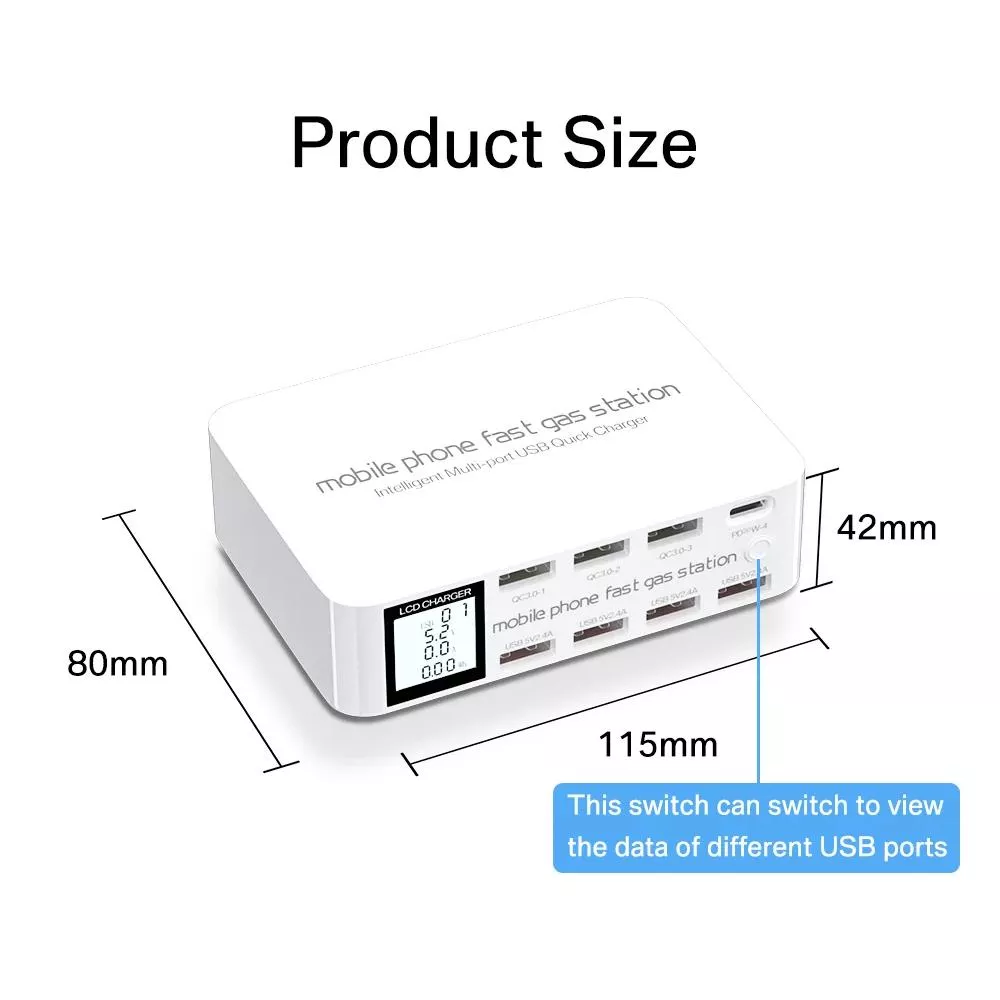
Most “USB-C docking stations” under fifty dollars are just glorified phone chargers with delusions of grandeur. Looking across the category, the 8-Port 100W USB-C & QC Fast Charging Station with LCD Display is the standout value pick — it’s a legitimate multi-device power hub with a display that tells you what each port is actually doing, at roughly half the price of comparable branded units.
Our pick: 8-Port 100W USB-C & QC Fast Charging Station with LCD Display
Call it what it is: this is a charging-focused desktop dock, not a display-out docking station. If your search for a “USB type-c docking station” is really about powering a laptop, a tablet, a phone, earbuds, and a watch off one wall plug without a tangle of bricks — this is the piece to buy.
The headline spec is 100W total output across eight ports, with USB-C Power Delivery and Quick Charge support. That’s enough headroom to fast-charge a USB-C laptop on one port while topping up phones and accessories on the rest. The LCD is the feature you don’t realize you want until you have it: real-time voltage and current per port, so you can actually see whether your phone is negotiating fast-charge or crawling at 5W because of a cheap cable.
At $45.51 marked down from $97.99, it undercuts nearly every branded equivalent in the 100W bracket.
Who should buy it
Buy this if your desk or nightstand looks like a snake pit and you want one cable to the wall. It’s a strong fit for:
- Remote workers running a USB-C laptop plus a phone, tablet, and earbuds.
- Households with mixed device ecosystems — the mix of USB-C PD and QC-A ports means iPhones, Androids, Kindles, and Switches all get their preferred fast-charge protocol.
- Travelers who’d rather pack one 100W brick than five wall warts. Check the source listing to confirm the plug type shipped for your region before ordering.
- Anyone who’s tired of guessing why a device charges slowly — the LCD readout removes the mystery.
If you charge three or more devices daily, this pays for itself in desk sanity within a week.
Who should skip it
Skip this if you were searching for a docking station in the Thunderbolt sense — meaning HDMI/DisplayPort out, Ethernet, and USB-A data passthrough to run a monitor and peripherals from a laptop lid-closed. This unit is power-only. There’s no video output, no data hub, no dock-to-monitor functionality.
Also skip it if you need to charge a 16-inch MacBook Pro at full speed and run other high-draw devices simultaneously. 100W is the total budget across all eight ports, not per port — a hungry laptop will eat most of it.
What to know before buying
A few practical notes based on the listing:
- Total power is shared, not per-port. Plugging in eight devices means each gets a slice of 100W. One USB-C PD port typically gets priority for laptop-class charging; the others down-shift.
- Cables matter. Fast-charge negotiation depends on the cable as much as the charger. A cheap USB-C cable will cap you at 5V/3A regardless of what the port can deliver. The LCD will show you this happening in real time.
- Confirm the plug and voltage for your country on the source listing — the product page lists six images but doesn’t always spell out regional variants clearly.
- It’s a desktop unit, not a wall wart. Expect a separate power cable running to the outlet, and a footprint roughly the size of a paperback. Plan desk space accordingly.
- Warranty and return terms aren’t something we can speak to — verify those on the source page before ordering.
If any of the specs above are dealbreakers, check the source listing for the fine print before committing.
Alternatives
If you truly need video-out and a laptop dock, look at a Thunderbolt 4 or USB4 docking station instead — those are a different product category and start around $150. If you only ever charge one or two devices, a simple 65W GaN charger will be cheaper and smaller. And if you want a branded name with a longer track record, Anker and UGREEN make similar 100W multi-port stations at roughly double the price.
For the specific job of consolidating four-to-eight charging bricks into one visible, controllable hub, though, this unit is the value leader right now. At $45 it’s an easy call — the LCD alone justifies the upgrade over a dumb multi-port charger, and the 100W ceiling covers everything short of a workstation laptop under heavy load. If that matches how you actually use “USB-C” day to day, this is the one to get.
Our pick for USB Type-C Docking Station Under $50: 8-Port 100W Charging Hub Review.
Check the source listing for current shipping and return details.
Frequently asked
Does this USB-C station support laptop charging?
Yes — one of the USB-C ports supports Power Delivery up to 100W total across the unit, which is enough to charge most 13- and 14-inch USB-C laptops at full speed when few other devices are plugged in. Larger 16-inch laptops under heavy load may charge slower.
Can I use this as a docking station for a monitor?
No. This is a charging-only hub — there's no HDMI, DisplayPort, or Ethernet. If you need to run an external display from a laptop, you'll want a Thunderbolt or USB4 docking station instead.
What does the LCD actually show?
Real-time voltage and current draw per port, so you can see exactly how fast each device is charging. It's genuinely useful for diagnosing slow-charging cables or devices that aren't negotiating fast-charge properly.
Will it fast-charge both iPhones and Android phones?
Yes — the mix of USB-C Power Delivery and Quick Charge ports covers both major fast-charging standards, so iPhones (PD) and most Android phones (QC or PD) can hit their peak speeds on the right port.
Is 100W split across all eight ports at once?
Correct — 100W is the total power budget shared across all active ports, not 100W each. If you plug in eight demanding devices, each gets a smaller share; with two or three devices, most will still hit fast-charge speeds.